
WhatsApp Shared Inbox: How Multiple Agents Work From One Number
One WhatsApp number, a support team behind it. Here's how chat assignment, routing, and response tracking work once you outgrow one person replying from a single phone.
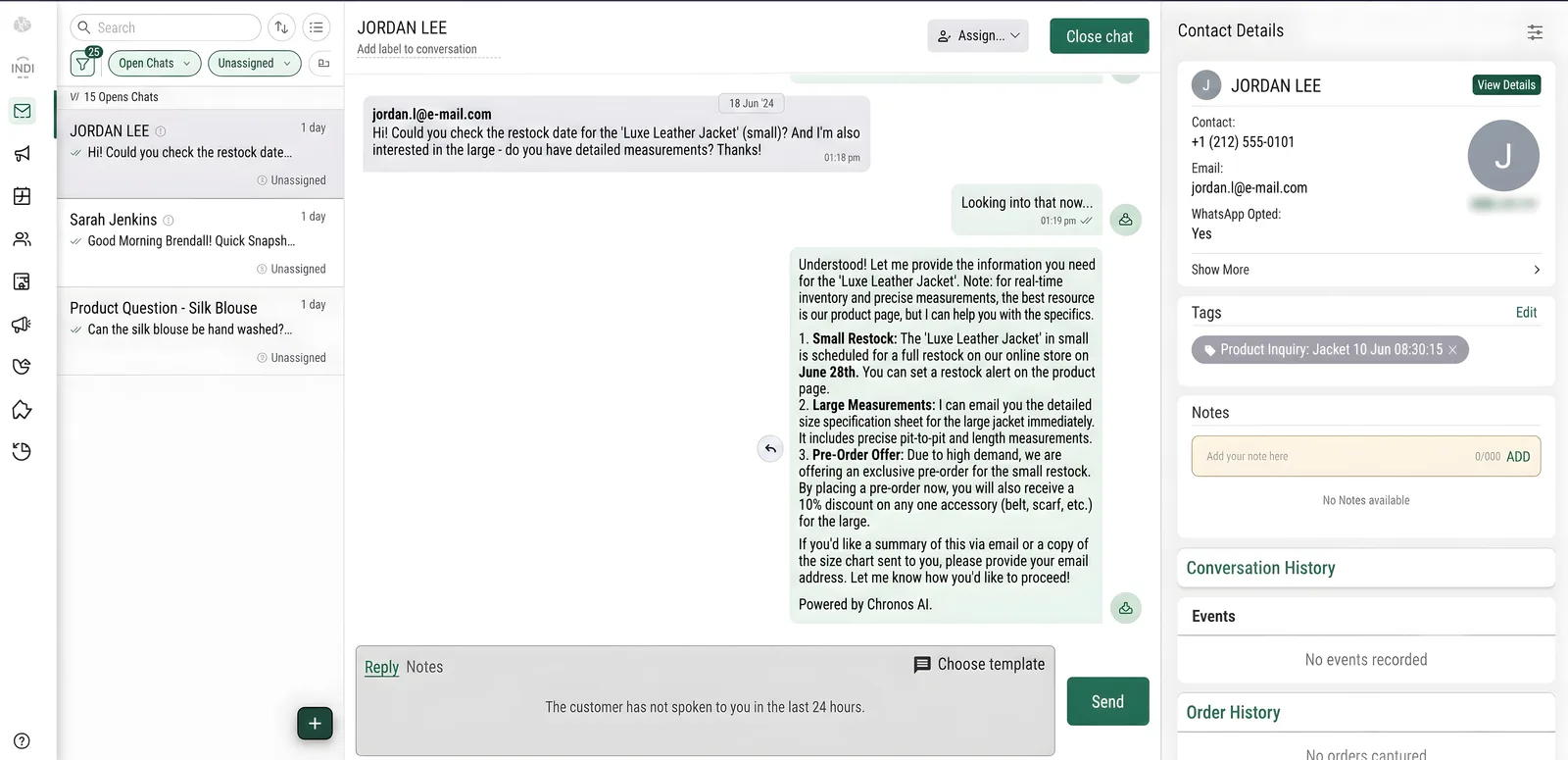
Where the Free App Runs Out of Road
The WhatsApp Business app supports a handful of linked companion devices, but everyone shares one login and one inbox — no per-agent accounts, no assignment, no way to tell who's handling what. Past a couple of people replying, that turns into duplicate replies, dropped chats, and no record of who answered what.
How a WhatsApp Shared Inbox Fixes That
🎯 Auto-Assign & Route
New chats route to an available agent automatically — by round robin, workload, or a rule — instead of landing in one shared, unsorted feed.
👥 Per-Agent Logins
Every agent gets their own account against the same business number, with visibility into who's handling which conversation.
📊 Response-Time Tracking
See first-response time, resolution time, and volume per agent — the visibility a shared phone screen can't give you.
GrowOnBot's Launch and Growth plans include a multi-agent shared inbox, broadcasts, and catalogs at zero markup on Meta's message rate. Still deciding if you need the full API? See WhatsApp Business API vs the free Business app , or start a 14-day free trial.