
WhatsApp Catalog for E-commerce: How It Works & How to Set It Up
Every extra tap between a customer asking about a product and buying it loses sales. A WhatsApp catalog puts your products — photos, prices, descriptions — directly inside the chat, so browsing never has to leave WhatsApp.
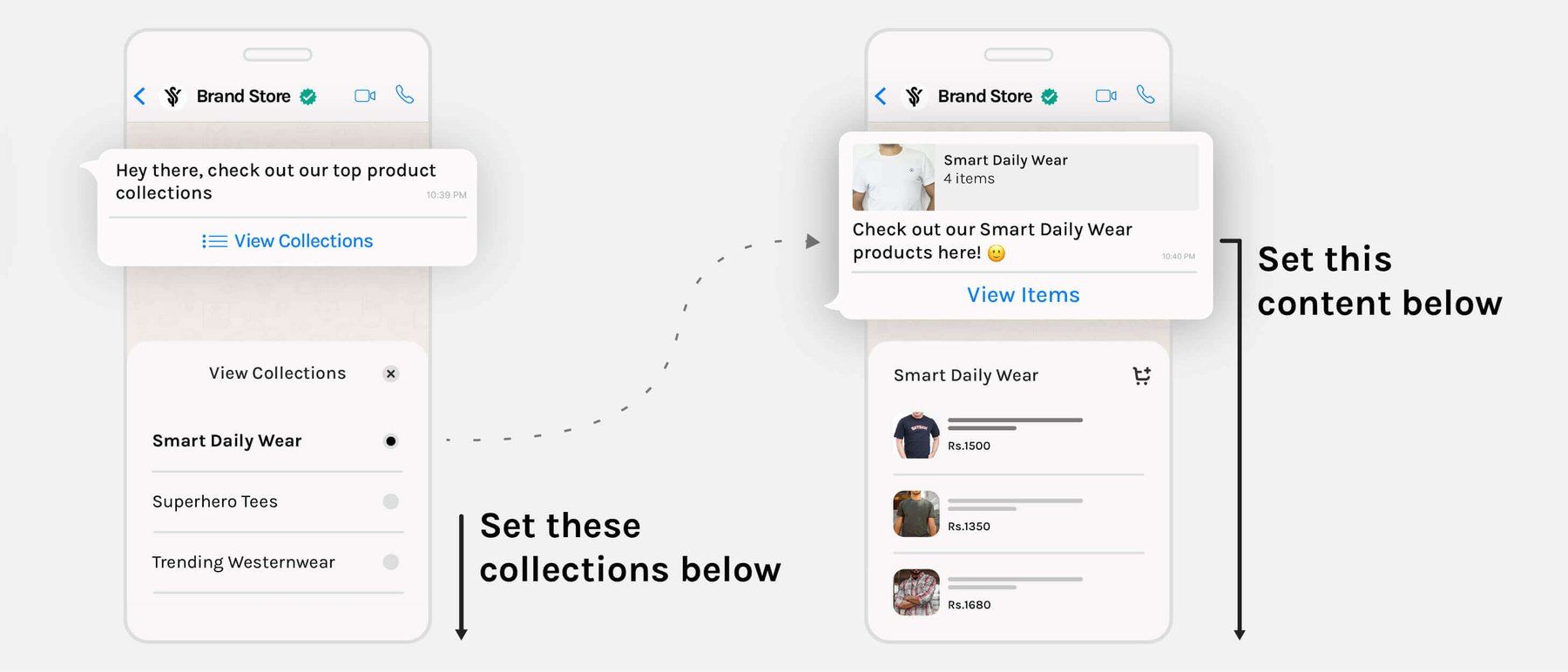
How a WhatsApp Catalog Actually Works
The WhatsApp Business Platform renders your catalog as one of three interactive message types, depending on what you're showing:
🛒 Single Product
One product card with photo, price, and description — for answering "how much is this?" with the actual listing.
📋 Product List
A scrollable set of products grouped into sections — for "show me your summer collection" style requests.
🗂️ Full Catalog
Your entire catalog, browsable in one message — the closest thing to handing someone your whole storefront in a chat.
Setting It Up
🛍️ Already on Shopify?
GrowOnBot syncs your existing Shopify product catalog automatically — add, edit, or remove a product in Shopify and it stays current on WhatsApp without re-uploading anything.
🗄️ Not on Shopify?
Set up a catalog once in Meta Commerce Manager (name, photo, price, and a retailer ID per product), connect it to your WhatsApp Business number, and it's ready to send.
GrowOnBot's Launch and Growth plans include catalogs, broadcasts, and a shared inbox at zero markup on Meta's message rate. Pair a catalog with a compliant broadcast to put it in front of your opted-in customers, or start a 14-day free trial.