
WhatsApp Green Tick Verification: Eligibility, Requirements & How to Apply (2026)
The WhatsApp Green Tick badge (known formally as an Official Business Account or OBA) is the ultimate badge of trust on WhatsApp. It replaces an unknown phone number with your verified brand name in chat headers — even if the customer has never saved your contact.
Here is everything you need to know about Meta's 2026 eligibility criteria, the exact step-by-step application workflow, and the truth about third-party agencies charging thousands of dollars for a process Meta provides for free.
What is the WhatsApp Green Tick Badge & Why Does It Matter?
When a customer receives a message on WhatsApp from a standard business, they see a phone number unless they have actively added your company to their address book. With an Official Business Account (Green Tick):
Instant Brand Recognition
Your verified company name appears prominently in the chat list, conversation header, and profile without requiring the recipient to save your contact.
Higher Open & Response Rates
Customers trust verified badges. Brands with a Green Tick report up to 30–40% fewer spam reports and significantly higher click-through rates on broadcasts and alerts.
Fraud & Phishing Protection
Prevents copycats and unauthorized parties from impersonating your brand, securing sensitive customer communication such as order confirmations and OTPs.
Standard Business Account vs. Official Business Account (Green Tick)
Understanding the distinction helps set realistic goals. You can run all marketing campaigns, catalogs, and customer support with a standard WhatsApp Business API account while working toward the Green Tick.
| Feature | Standard Business Account | Official Business Account (Green Tick) |
|---|---|---|
| Chat Header Display | Phone number (unless saved by user) | Business Name + Green Checkmark |
| Eligibility Platform | Free Business App or WhatsApp API | WhatsApp Business Platform (API) only |
| Meta Business Verification | Recommended (unlocks higher limits) | Mandatory |
| Brand Notability Requirement | None required | Required (3–5 organic news articles) |
| Broadcasts & Multi-Agent Inbox | Full access on WhatsApp API | Full access on WhatsApp API |
| Application Fee | Free | Free ($0 directly with Meta) |
The 5 Eligibility Criteria for WhatsApp Green Tick Verification
Meta evaluates Official Business Account requests against strict compliance guidelines. Ensure your business meets all five criteria before submitting your application:
Must Use WhatsApp Business Platform (Cloud API)
Meta does not offer green badge verification to numbers running on the consumer WhatsApp app or the free WhatsApp Business app. You must migrate your business number to the official Cloud API. Review our WhatsApp Business API vs App comparison to get started.
Meta Business Account Verification
Your organization inside Meta Business Manager must be fully verified. This requires submitting legal business documentation: Certificate of Incorporation, GST certificate, Trade License, or utility bills confirming your official registered business address.
Two-Step Verification Enabled
The active phone number registered in your WhatsApp Business Account (WABA) must have two-factor authentication (2FA) configured in Meta WhatsApp Manager. This protects your account from unauthorized SIM or API takeovers.
Tier 2 Messaging Limit & High Quality Rating
While Meta does not publish a rigid numerical cutoff, accounts at Messaging Tier 2 (10,000 unique customers per day) or above with an active "High" quality score have substantially higher approval rates than dormant or brand-new accounts. Read our broadcast compliance guide to protect your quality score.
Brand Notability & Organic Media Coverage
This is where most applications succeed or fail. Meta defines notability as being a well-known, frequently searched brand or entity. You must provide 3 to 5 links to articles published in major national or international news outlets. Note: Meta specifically discounts paid press releases, PR distribution wires, sponsored content, and self-published blogs.
Step-by-Step: How to Apply for the WhatsApp Green Tick in Meta Business Manager
Applying takes less than 10 minutes directly inside your Meta Business Manager. Follow these steps:
- Step 1: Open WhatsApp ManagerNavigate to Meta Business Suite, click on Settings, select WhatsApp Accounts, and open WhatsApp Manager.
- Step 2: Select Your Phone NumberUnder the Account Tools menu on the left sidebar, click on Phone Numbers.
- Step 3: Access Profile SettingsLocate the phone number you wish to verify, click the Settings (gear) icon next to it, and select Profile.
- Step 4: Click "Submit Request" under Official Business AccountScroll to the Official Business Account section. Click the Submit Request button.
- Step 5: Provide Evidence of NotabilityFill in your official website URL, parent brand/organization (if applicable), and submit up to 5 links to notable organic news articles about your business.
- Step 6: Submit and Wait for ReviewClick Submit. Meta's trust and safety team will review your application within 2 to 4 business days.
Beware of WhatsApp Green Tick Scams & Reseller Markups
Many agencies and WhatsApp Business API aggregators charge businesses anywhere from ₹25,000 to ₹50,000 ($300 to $600) claiming they will "provide" or "guarantee" the Green Tick.
Here is the absolute truth: Meta charges $0 for Official Business Account status. The decision is made entirely by Meta's internal verification team based on your public notability and compliance record. No software provider or agency has a backdoor into Meta to guarantee approval.
At GrowOnBot, we believe in radical transparency:
- 0% Markup on Meta conversation fees: You pay Meta's rates directly at cost.
- Zero application fees: Apply for the Green Tick directly inside your own Meta dashboard at no extra charge.
- Full feature access: High-speed broadcasts, shared team inbox, and e-commerce catalogs on all plans.
What If Your WhatsApp Green Tick Application Is Rejected?
A rejection is common for early-stage or regional businesses, and it does not hinder your ability to grow on WhatsApp. Here is how to handle a rejection:
1. Your Operations Are 100% Unaffected
You can still send bulk broadcasts, run customer support via multi-agent inbox, and connect automated workflows. Your daily messaging limits remain fully intact.
2. Re-apply After 30 Days
Meta allows you to submit a fresh application 30 days after a rejection. Use this time to secure genuine media coverage, press features, and organic brand mentions.
3. Optimize Your Digital Footprint
Ensure your website domain matches your official business email and Meta Business Manager name. A clean, authoritative online presence improves credibility with reviewers.
4. Maintain High Messaging Quality
Ensure every contact on your list opted in before sending broadcasts. Keep your block and report rates minimal to maintain a steady "High" quality tier.
Scale Your Business on the WhatsApp Business Platform
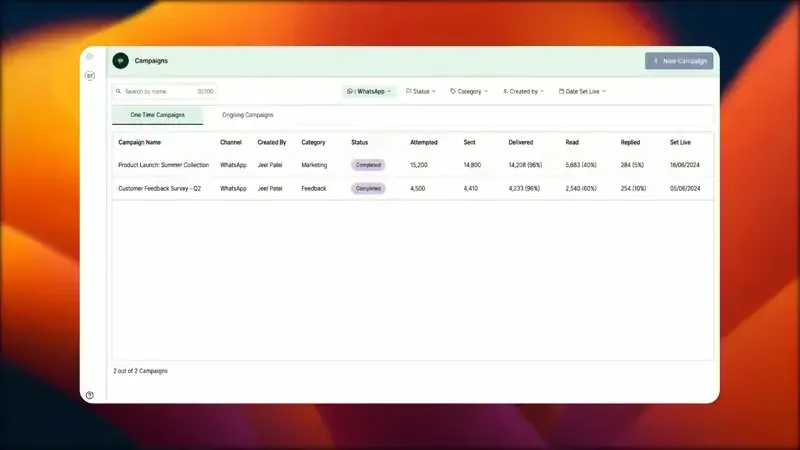
Whether your account is verified with a Green Tick or running as a standard verified business, GrowOnBot gives you the complete toolset to manage customer conversations, broadcasts, and automated workflows:
Frequently Asked Questions (FAQs)
Ready to Build Your Verified Presence on WhatsApp?
Get started on the official WhatsApp Business Platform with GrowOnBot. Enjoy zero markup on Meta conversation charges, multi-agent shared inboxes, broadcasts, and e-commerce catalogs.