
21 min readCampaigns & Sales

Every extra tap between a customer asking about a product and buying it loses sales. A WhatsApp catalog puts your products — photos, prices, descriptions — directly inside the chat, so browsing never has to leave WhatsApp.
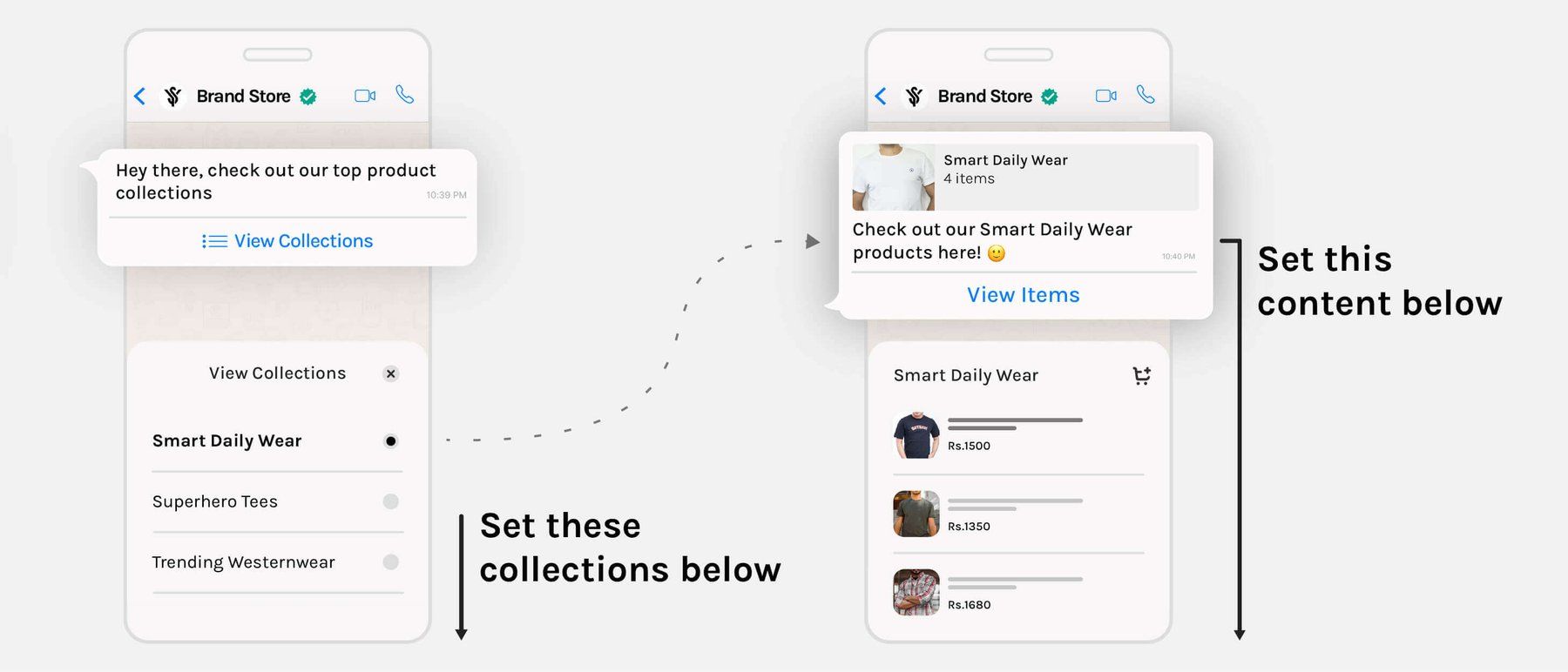
The WhatsApp Business Platform renders your catalog as one of three interactive message types, depending on what you're showing:
One product card with photo, price, and description — for answering "how much is this?" with the actual listing.
A scrollable set of products grouped into sections — for "show me your summer collection" style requests.
Your entire catalog, browsable in one message — the closest thing to handing someone your whole storefront in a chat.
GrowOnBot syncs your existing Shopify product catalog automatically — add, edit, or remove a product in Shopify and it stays current on WhatsApp without re-uploading anything.
Set up a catalog once in Meta Commerce Manager (name, photo, price, and a retailer ID per product), connect it to your WhatsApp Business number, and it's ready to send.
GrowOnBot's Launch and Growth plans include catalogs, broadcasts, and a shared inbox at zero markup on Meta's message rate. Pair a catalog with a compliant broadcast to put it in front of your opted-in customers, or start a 14-day free trial.
To drive website shoppers straight into your WhatsApp catalog, install our free WhatsApp Chat Widget on your storefront, or use our free WhatsApp Link Generator to create prefilled chat links (e.g. “Hi, please send me your product catalog”) for Instagram bios and marketing emails.
Master WhatsApp marketing, customer support, and sales automation with our comprehensive guides: